
The Art of Virtual Architecture: 3D Rendering a Modern house
The digital age has revolutionized countless industries, and architecture is no exception. Gone are the days of solely relying on hand-drawn blueprints and physical models. Today, 3D rendering has become an indispensable tool for architects, designers, and clients alike, offering a powerful and immersive way to visualize and refine architectural concepts. This article delves into the intricate process of 3D rendering a modern house, exploring the techniques, software, and creative considerations that bring architectural visions to life.
The journey begins with a solid foundation: the architectural concept. Before any rendering takes place, the house’s design must be meticulously planned and translated into a digital 3D model.
A. Architectural Design and Planning
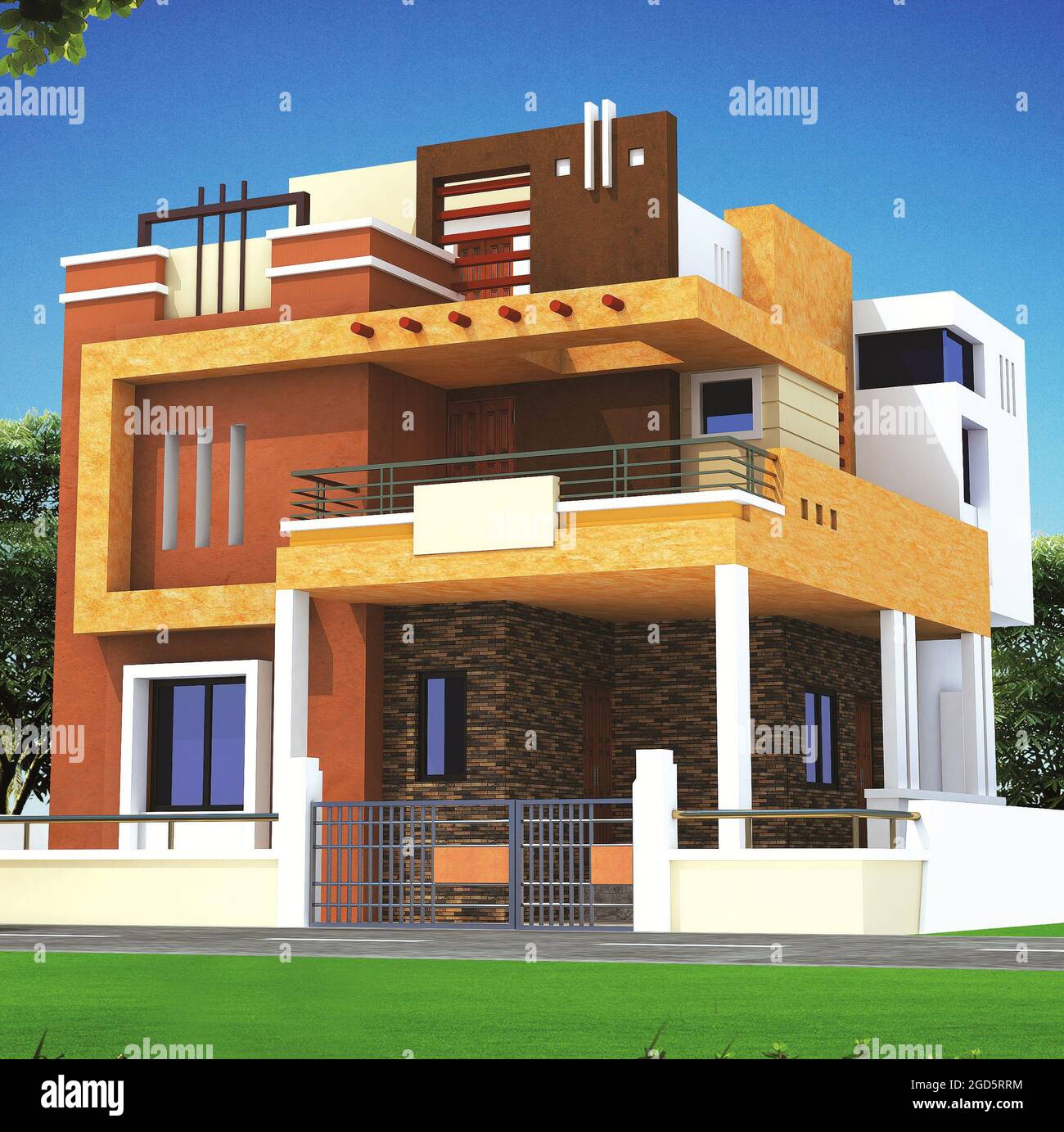
The modern house, with its emphasis on clean lines, open spaces, and natural light, presents unique challenges and opportunities for 3D rendering. The architect’s vision, incorporating factors like site context, client preferences, and sustainable design principles, forms the blueprint for the virtual representation.
B. 3D Modeling Software: The Digital Canvas
Several powerful software packages are employed in the modeling process, each offering distinct strengths. Popular choices include:
1. Autodesk Revit: Building Information Modeling (BIM)
Revit is renowned for its BIM capabilities, allowing architects to create intelligent 3D models that contain rich data about building components. This data is crucial for accurate renderings and efficient project management.
2. SketchUp: Intuitive and Versatile Modeling
SketchUp’s user-friendly interface and extensive library of pre-made components make it a popular choice for rapid prototyping and conceptual design. Its simplicity allows for quick iterations and exploration of different design options.
3. Blender: Open-Source Powerhouse

Blender, a free and open-source 3D creation suite, offers a comprehensive toolkit for modeling, animation, and rendering. Its versatility and active community make it a valuable asset for architects and designers.
C. Creating the 3D Model: Precision and Detail
The modeling process involves constructing the house’s geometry, including walls, floors, roofs, windows, and doors. The level of detail depends on the project’s requirements, ranging from basic massing models to highly detailed representations with intricate architectural features.
Once the 3D model is complete, the rendering process transforms it into a photorealistic or artistically stylized image.
A. Rendering Engines: The Heart of the Process

Rendering engines are the software components that calculate how light interacts with the 3D model, generating the final image. Popular rendering engines include:
1. V-Ray: Industry-Standard Photorealism
V-Ray is widely regarded as the industry standard for architectural visualization, known for its exceptional photorealistic output and advanced lighting capabilities.
2. Corona Renderer: User-Friendly and Efficient
Corona Renderer offers a user-friendly interface and fast rendering speeds, making it a popular choice for architects who prioritize efficiency and ease of use.
3. Unreal Engine: Real-Time Rendering and Interactive Experiences
Unreal Engine, primarily known for its use in video games, is increasingly being adopted for architectural visualization, enabling real-time rendering and interactive walkthroughs.
B. Materials and Textures: Adding Realism
Materials and textures play a crucial role in creating realistic renderings. They define the surface properties of objects, such as color, reflectivity, and roughness. High-quality textures, often sourced from photographs or scanned materials, are essential for achieving a convincing visual representation.
C. Lighting: Illuminating the Vision
Lighting is a fundamental aspect of rendering, influencing the mood, atmosphere, and realism of the image. Architects carefully consider natural and artificial light sources, using techniques like global illumination and ambient occlusion to simulate realistic lighting effects.
1. Natural Lighting: Simulating Sun and Sky
Accurate simulation of sunlight and skylight is crucial for creating realistic outdoor renderings. Software tools allow architects to adjust the sun’s position, time of day, and weather conditions to achieve the desired lighting effects.
2. Artificial Lighting: Enhancing Interior Spaces
Artificial lighting plays a vital role in interior renderings, highlighting architectural features and creating a sense of warmth and comfort. Architects use a variety of light sources, such as spotlights, ambient lights, and emissive materials, to achieve the desired lighting effects.
D. Composition and Camera Angles: Telling a Story
Composition and camera angles are essential for creating visually compelling renderings. Architects carefully consider the placement of objects, the framing of the shot, and the perspective to guide the viewer’s eye and tell a story about the space.
E. Post-Processing: Refining the Image
Post-processing involves making adjustments to the rendered image using image editing software like Adobe Photoshop. This stage allows architects to fine-tune the color balance, contrast, and sharpness of the image, as well as add effects like depth of field and motion blur.
Beyond the technical aspects, 3D rendering is a creative process that involves artistic judgment and effective communication.
A. Architectural Style and Aesthetics
The rendering style should reflect the architectural style of the house. For example, a minimalist modern house might benefit from a clean and uncluttered rendering, while a more ornate design might call for a richer and more detailed representation.
B. Communicating the Design Intent
3D renderings serve as powerful communication tools, allowing architects to effectively convey their design intent to clients, contractors, and other stakeholders. By providing a realistic and immersive visualization, renderings help to ensure that everyone involved in the project has a clear understanding of the design.
C. Client Feedback and Iteration
3D renderings facilitate client feedback and iteration, allowing architects to make adjustments to the design based on client preferences. The ability to visualize the design in advance helps to minimize costly revisions during construction.
D. Sustainable Design and Environmental Impact
3D rendering can also be used to evaluate the environmental impact of a design, such as its energy efficiency and solar performance. By simulating different environmental conditions, architects can optimize the design for sustainability.
The field of architectural visualization is constantly evolving, with new technologies and techniques emerging.
A. Virtual Reality (VR) and Augmented Reality (AR)
VR and AR technologies are transforming the way we experience architectural spaces. VR allows users to immerse themselves in a virtual environment, while AR overlays digital information onto the real world.
B. Real-Time Rendering and Interactive Experiences
Real-time rendering engines are enabling interactive walkthroughs and immersive experiences, allowing users to explore architectural spaces in real time.
C. Artificial Intelligence (AI) and Machine Learning
AI and machine learning are being used to automate tasks like material generation and lighting simulation, making the rendering process more efficient and accessible.
D. Cloud-Based Rendering and Collaboration
Cloud-based rendering platforms are providing access to powerful computing resources and facilitating collaboration among architects and designers.
3D rendering has become an indispensable tool for architects, transforming the way we design, visualize, and experience architectural spaces. By combining technical expertise with artistic vision, architects can create stunning renderings that bring their designs to life. As technology continues to advance, the future of architectural visualization promises to be even more immersive, interactive, and transformative.


